How to Book Jobs into Jobber Automatically from Phone Calls
Jobber makes it easy for customers to send you a request online. But in the trades, a lot of work still starts with a phone call, and phone calls do not type themselves into Jobber. Someone has to answer, take notes, look up the client, and re-enter it all.
This guide shows how to get phone calls into Jobber automatically, so a call to your business line ends up as a request on the right client and property without anyone retyping it.
The manual way (and why it leaks)
In most Jobber businesses, a call goes like this: someone answers (if they can), scribbles the details, searches Jobber for the client, finds the right property, and creates the request. If the call came in after hours, it is a voicemail first, then a call back, then all of the above.
Every step is a chance to lose the job: the call that is never answered, the voicemail nobody returns, the note with the wrong address.
The automatic way: an AI receptionist connected to Jobber
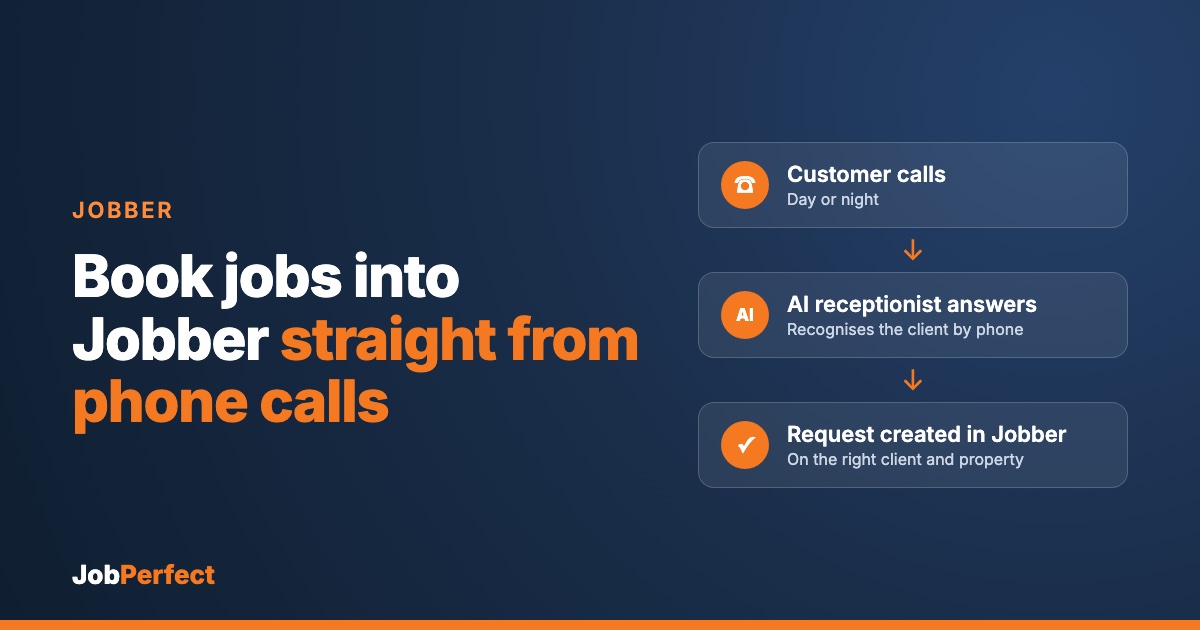
With the JobPerfect AI receptionist connected to your Jobber account, the call handles itself:
- The call is answered in your company’s name, every time, day or night.
- The caller is recognised. It looks up the phone number against your Jobber clients, so returning customers are greeted by name.
- The right property is chosen. If a client has more than one property, such as a property manager with several buildings, it confirms which one the work is for.
- The details are captured. What is wrong, how urgent it is, and anything your team needs to know before they arrive.
- A request is created in Jobber on that client and property, with the call notes attached.
Your team then does what they already do in Jobber: review the request, turn it into a quote or job, and schedule it.
Why a request, not a job?
We create a Jobber request rather than jumping straight to a scheduled job. That keeps your office in control of pricing and scheduling, which is how most Jobber businesses already work with online requests. Nothing gets dispatched that your team has not seen.
What about emergencies?
You decide what counts as an emergency. When a caller has one, the AI does not just log it: it gets the on-call technician on the phone. After hours, this is powered by CallRoster AI, which follows your on-call rotation and tries a backup if the first tech does not answer.
What you need to get started
- Your Jobber account, connected securely to the AI receptionist.
- Your rules: business hours, what counts as an emergency, and who is on call.
- Your phone line forwarded to the receptionist, all the time or only when your office cannot answer.
- A few test calls before you go live, so you can hear exactly how it handles your customers.
We handle the setup and testing with you.
Not on Jobber?
The same AI receptionist books straight into BigChange and Simpro, where it creates the job directly. See how it works.
Frequently asked questions
Does this replace Jobber’s online booking?
No. Online requests keep working as they do now. This covers the customers who pick up the phone instead.
Will it create duplicate clients?
It looks callers up by phone number against your existing Jobber clients first, so returning customers land on their existing client record.
Can I see what was said on the call?
Yes. Every call is transcribed, and the important details go into the request notes.
What does it cost?
It depends on your call volume and setup. Book a demo and we will walk you through it.
See it on your own business
We can connect a demo to your Jobber account so you can call in and watch the request appear.
Book a demo, or hear our AI receptionist for yourself: call (289) 672‑1496.