How to Book Jobs into BigChange Automatically from Phone Calls
BigChange is excellent once a job is on the planner. Getting it there is the part that still depends on people: answering the phone, finding the contact, picking the right site and typing up what the customer said.
This guide shows how to book jobs into BigChange automatically from phone calls, so a call to your business line becomes a job on the right contact and site, ready for your planner.
The problem with phone-to-planner by hand
Busy BigChange users often have hundreds of contacts with sites underneath them: care homes, retail chains, property portfolios, schools. A caller says “the heating is off at the Brighton site” and someone has to work out which customer, which site, and which job type, while the next call is ringing.
After hours it is worse. A voicemail becomes a call back, a call back becomes phone tag, and the job is entered the next morning, if it is entered at all.
How it works with the JobPerfect AI receptionist
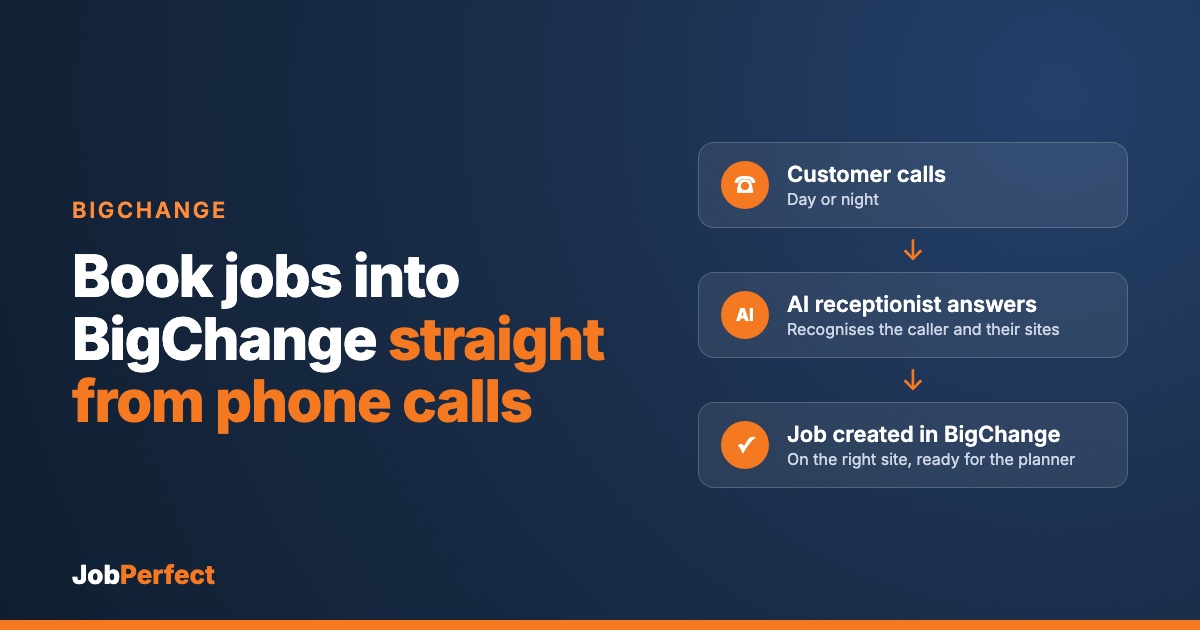
- The call is answered in your company’s name, every time, day or night.
- The caller is recognised. It matches the phone number to the person on your BigChange contact, so regular customers are greeted by name.
- The right site is chosen. Sites set up under a contact in BigChange are read out as options, and the caller confirms which one the work is for.
- The details are captured. What is wrong, how urgent it is, access notes, and anything your engineer should know.
- A job is created in BigChange on that site, with your chosen job type and the call details in the description, ready to drop onto the planner.
Why site-level booking matters
Booking against the site, not just the head-office contact, means the job carries the right address, the right history and the right site contacts. Your engineer turns up at the right building, and your reporting by site stays accurate.
New callers
If the number is not in BigChange, the AI takes the caller’s name, company and address and creates the contact and person for you, then books the job against it.
Emergencies go to a person
You decide what counts as an emergency. When a caller has one, the AI gets the on-call engineer on the phone instead of just logging it. After hours this is powered by CallRoster AI, which follows your on-call rotation and tries a backup if nobody answers. The job is still in BigChange, so the office sees everything in the morning.
What you need to get started
- Your BigChange account, connected securely through the BigChange API.
- Your rules: business hours, job type, what counts as an emergency, and who is on call.
- Your phone line forwarded to the receptionist, all the time or only when the office cannot answer.
- A few test calls before you go live.
JobPerfect is a BigChange Authorized Reseller, so we know the platform inside out and set this up with you. More on BigChange with JobPerfect.
Not on BigChange?
The same AI receptionist books into Simpro and Jobber.
Frequently asked questions
Does it use BigChange sites?
Yes. It reads the sites under a contact and books the job against the one the caller confirms.
Will it create duplicate contacts?
It looks callers up by phone number first, so returning customers land on their existing contact. For the best match, keep phone numbers on your BigChange person records up to date.
Does it put the job on the planner?
It creates the job ready for your planner to schedule, so your office stays in control of who goes where.
Can I see what was said on the call?
Yes. Every call is transcribed, and the key details are in the job.
What does it cost?
It depends on your call volume and setup. Book a demo and we will walk you through it.
See it on your own business
We can run a demo on a BigChange account so you can call in and watch the job appear.
Book a demo, or hear our AI receptionist for yourself: call (289) 672‑1496.