Invoice Payment Reminders for Contractors: A Schedule That Gets You Paid
Every trades business has a list of invoices that should have been paid by now. Chasing them is nobody’s favourite job, so it gets put off, and the longer an invoice goes unpaid, the less likely it is to be paid at all.
This guide covers a simple reminder schedule for contractor invoices, what each reminder should say, and how to automate the chasing so cash comes in without the awkward phone calls.
Why customers pay late
- They forgot. This is the most common reason by far.
- The invoice went to the wrong person, or is stuck in an accounts payable queue.
- They have a question about a line item and are waiting for someone to ask.
- They pay whoever chases first. Businesses that send reminders get paid before the ones that do not.
A reminder schedule that works
Count from the date the invoice was sent:
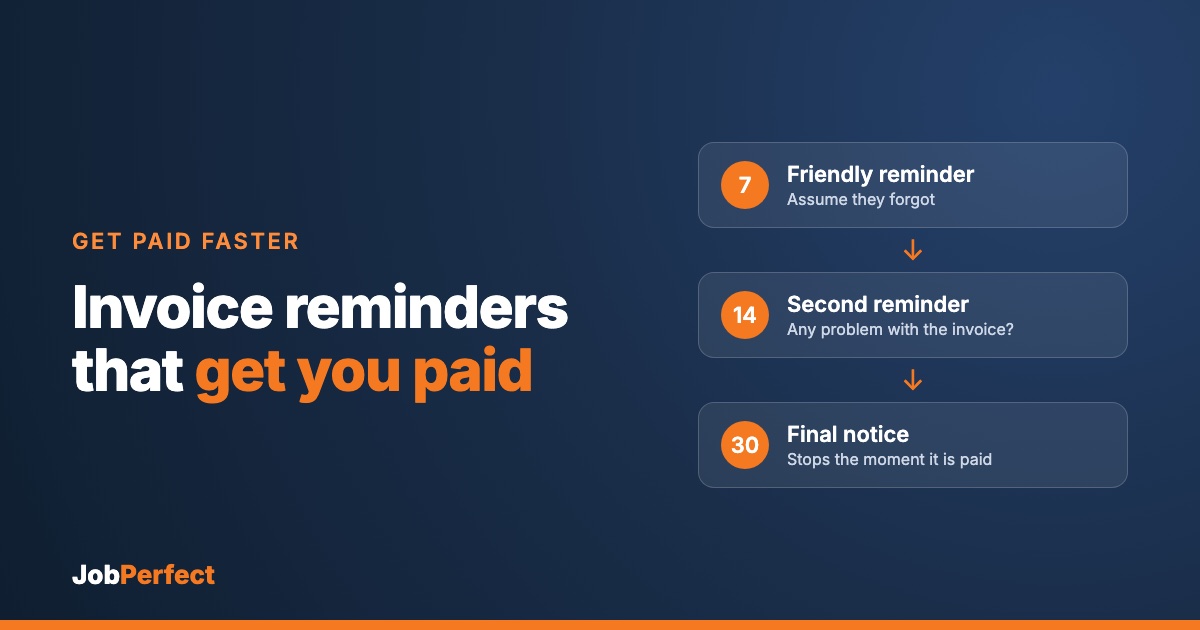
- Day 7: friendly reminder. Assume they forgot. Include the invoice number, the amount and how to pay.
- Day 14: second reminder. Still polite, a little firmer. Ask if there is a problem with the invoice.
- Day 30: final notice. Clear and professional. Say this is the final reminder and invite them to call if anything needs sorting out.
After the final notice, it is time for a person to pick up the phone. Automation handles the routine chasing so your team only spends time on the accounts that really need it.
What every reminder should include
- Invoice number and amount outstanding.
- The due date, or how many days overdue it is.
- How to pay, or a link to the invoice.
- A way to reply that reaches your office, in case there is a dispute or question.
- Your business name and branding, so it looks like it came from you.
Avoid the embarrassing reminder
The worst reminder is the one sent after the customer has already paid. Any automated system must check the invoice status right before it sends, and stop the moment the invoice is paid or cancelled. It should also send each reminder only once, so a missed day never results in three emails at once.
The cost of not chasing
Late payments are a cash-flow problem before they are a bad-debt problem. Every week an invoice sits unpaid is a week you are funding your customer’s business: wages, materials and fuel for the job are already paid. Consistent, polite reminders are the cheapest way to shorten that gap.
How JobPerfect does it
The JobPerfect Collections agent reads open invoices straight from your job management software and sends reminders at 7, 14 and 30 days by default, branded as your business. It checks the invoice before every send, stops as soon as it is paid, and never sends the same reminder twice. You can change the timing and the wording. It works with BigChange today.
The same agent follows up on open quotes too. See our guide to following up on quotes.
Frequently asked questions
Is it rude to send invoice reminders?
No. Customers expect them, and most late payments are simple oversights. A polite reminder is a service, not an accusation.
Should I add late fees?
Only if your terms say so and the customer agreed to them up front. Check your contract terms before you mention fees in a reminder.
What if the customer disputes the invoice?
Replies come to your office, so a person can sort it out. Pause reminders for that invoice while it is being resolved.
Does it work with my accounting software?
The agent reads invoices from your job management software. Today that is BigChange; book a demo to talk about your setup.
See it on your own business
Book a demo and we will show you which of your overdue invoices would get a reminder today.
Book a demo, or hear our AI receptionist for yourself: call (289) 672‑1496.